
Kia Seltos: Instrument cluster / Instrument cluster
Contents:
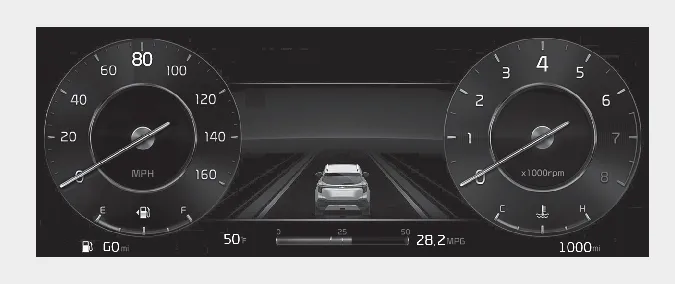
The Type B cluster in the Kia Seltos provides two main theme styles, allowing the driver to choose a display appearance that better matches driving preferences and vehicle settings.
Theme A/B/C
Theme A/B/C is the basic theme set for the full LCD type cluster. It provides different graphic styles depending on the selected drive mode, helping the Kia Seltos display feel more connected to the current driving condition.
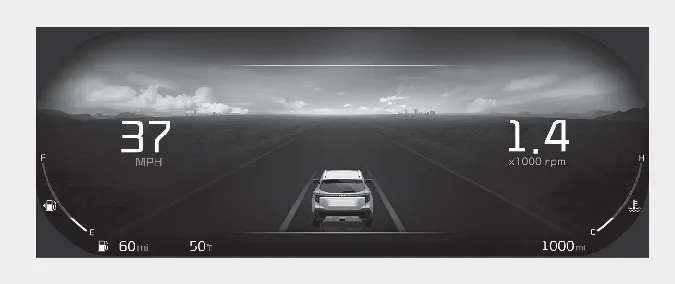
Dynamic Theme
The Dynamic Theme can be selected by the user and provides a digital display with a changing background. The background screen changes according to weather information and time of day, giving the Kia Seltos instrument cluster a more personalized and modern appearance.
-
Weather: clear, cloudy, rainy, snowy, foggy, lightning, clear up (7 types)
-
Time: night, day, sunrise, and sunset (4 types)
You can change the theme by selecting Vehicle → Cluster → Theme Selection in the menu.

NOTICE
The information is displayed after receiving data from a weather information provider via GPS. Depending on GPS reception conditions, the displayed information may differ from the current weather in your area.
If no information is received via GPS, such as when the Kia Connect service is not active, the weather and time may be displayed as ‘sunny’ and ‘night’ on the cluster.


Other information:
Kia Seltos SP2 (2021-2026) Owner's Manual: Shift lock system
The automatic transmission in the Kia Seltos is equipped with a shift lock system. This safety feature helps prevent the transmission from being shifted from P (Park) into R (Reverse) unless the brake pedal is pressed. To shift the transmission from P (Park) into R (Reverse), follow these steps: Depress and hold the brake pedal. Start the engine or turn the ignition switch to the ON position.The Kia Seltos LCD display modes can be changed using the control buttons on the steering wheel. These modes provide access to driving information, vehicle settings, warning messages, and system status screens. LCD Display Control : MODE button for changing display modes / : MOVE switch for changing items OK: SELECT/RESET button for selecting, confirming, or resetting the highlighted item